Private Browsing Changes Local History, Not Every Privacy Boundary
A private window can limit what the browser retains on a device. Websites, signed-in accounts and network observations remain separate parts of the privacy picture.
A private browsing window changes what the browser keeps on the device. Someone sharing that device, the website being visited and the operator of the network each have a different view of the activity.
Start with the local browser session
Google’s Chrome Incognito documentation describes a separate browsing session whose temporary site data and browser history are not retained after all Incognito windows close. It also states that downloaded files and saved bookmarks remain. This is a product-specific example, not a guarantee about every browser or every device trace.
| Layer | What private mode does not establish |
|---|---|
| Local browser history | Not a guarantee of erasing every device record |
| Downloaded file or saved bookmark | Not automatically removed when the private session closes |
| Website’s own records | Not prevented merely by using a private window |
| Signed-in account | Not automatically anonymous to that service |
| Network observations | Not automatically hidden by the private-mode label |
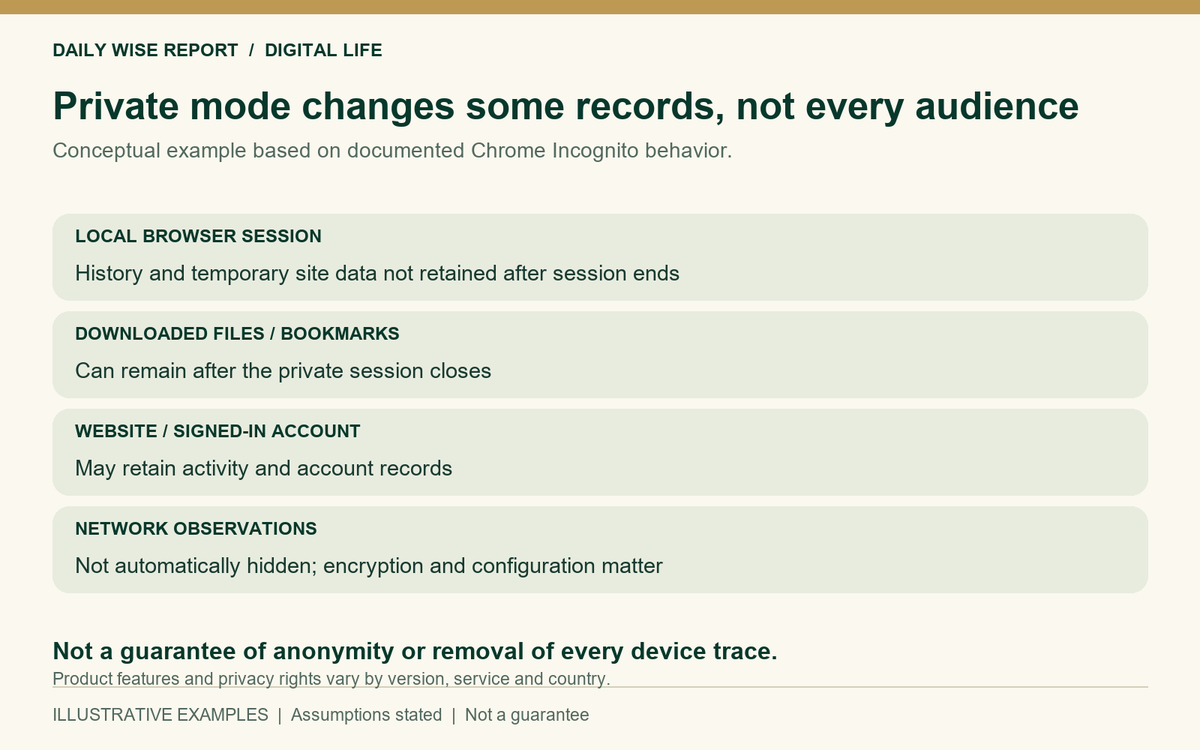
A fictional shopping visit leaves different kinds of records
Suppose a person opens a private window on a shared computer, signs in to a retailer and downloads a receipt. When the session ends, the browser can discard the session history while the receipt remains in the downloads folder. The retailer can also retain the order associated with the signed-in account.
The browser history, downloaded receipt and retailer’s order record are stored separately. Closing the private session can clear the first while leaving the other two in place.
Remote collection is a separate process
The US Federal Trade Commission explains that websites and apps can collect information through cookies and other technologies. The purpose and scope depend on the service and configuration. A private session can change cookie persistence without establishing that no remote information is collected.
Once the visitor signs in, the retailer can connect activity to that account without relying solely on a cookie left by an earlier ordinary session. This does not imply that every anonymous visitor can be identified.
What the network can observe
Private mode provides no network anonymity service of its own. An intermediary’s view depends on encryption, name-resolution settings and network management. It would be wrong to infer that the intermediary can read every encrypted page or password.
A managed device may also have controls outside the browser. Assessing a particular employer’s monitoring would require details of those controls, which this example does not provide.
Scope and limitations
Features can change across browsers, versions and platforms. No universal anonymity, legal privacy right or data-deletion outcome is claimed. This article explains observation boundaries without recommending a browser or privacy product.
Leave a Reply